If you’re setting up a machine vision system — whether it’s for factory inspection, robotics, or 3D measurement — you’ve probably run into one question pretty quickly:
Should I use a dot grid or a checkerboard calibration target?
It sounds like a simple choice. But the wrong target can cost you hours of rework, inconsistent results, and headaches you didn’t sign up for.
In this guide, we’ll break down the real differences between these two calibration targets, when to use each one, and how to pick the right supplier — so you can get your system calibrated accurately the first time.
What Is a Calibration Target in Machine Vision?
A calibration target (also called a calibration board or calibration pattern) is a physical reference object with precisely known geometric features, used to determine a camera’s intrinsic and extrinsic parameters — including focal length, lens distortion, and spatial orientation.
In plain terms: it’s how you teach your camera to “see” accurately.
Without proper calibration, your vision system might measure a 10mm part as 10.3mm, or completely misjudge where an object sits in 3D space. That’s why calibration targets are one of the first things engineers set up — and one of the most overlooked.
The two most common patterns you’ll come across are dot grids (also called circle grids) and checkerboards (also called chessboard patterns). They look different, work differently, and each has strengths that matter depending on your application.
Let’s dig into each one.
What Is a Checkerboard Calibration Target?
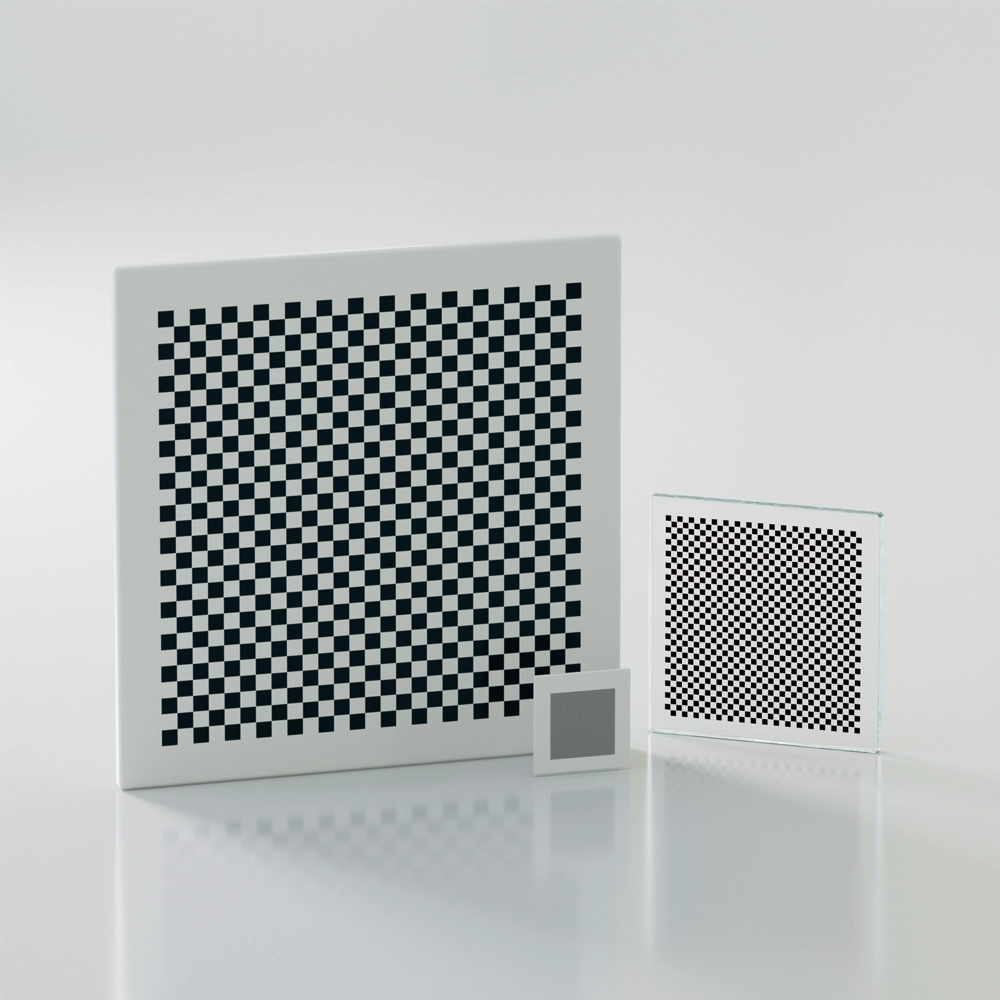
A checkerboard calibration target is a flat board printed with alternating black and white squares in a grid layout. Calibration algorithms detect the inner corner points where four squares meet to calculate camera parameters.
This is the pattern most engineers see first. If you’ve ever done a camera calibration tutorial in OpenCV, chances are you used a checkerboard.
How It Works
The detection algorithm looks for corner points — the precise intersections where the black and white squares meet. Each corner gives a sub-pixel-accurate reference point that the software uses to compute lens distortion, focal length, and camera pose.
A typical checkerboard target might have a 9×7 or 12×9 inner corner layout, printed on materials ranging from paper to aluminum with matte ceramic coating.
Key Advantages of Checkerboard Targets
High corner detection accuracy — Sub-pixel corner refinement is a mature, well-documented technique.
Wide software support — OpenCV, MATLAB, Halcon, ROS, and virtually every calibration library supports checkerboard detection out of the box.
Simple and cost-effective — Easy to print, easy to source, easy to verify.
Works well for single-camera calibration — Especially for 2D inspection systems.
Limitations to Watch Out For
Sensitive to partial occlusion — If any part of the board is blocked, many algorithms fail to detect the full pattern.
Orientation ambiguity — A symmetric checkerboard can be detected in multiple orientations, which can cause errors in stereo calibration.
Slower detection speed — Corner extraction typically requires more processing time than circle center detection.
What Is a Dot Grid Calibration Target?
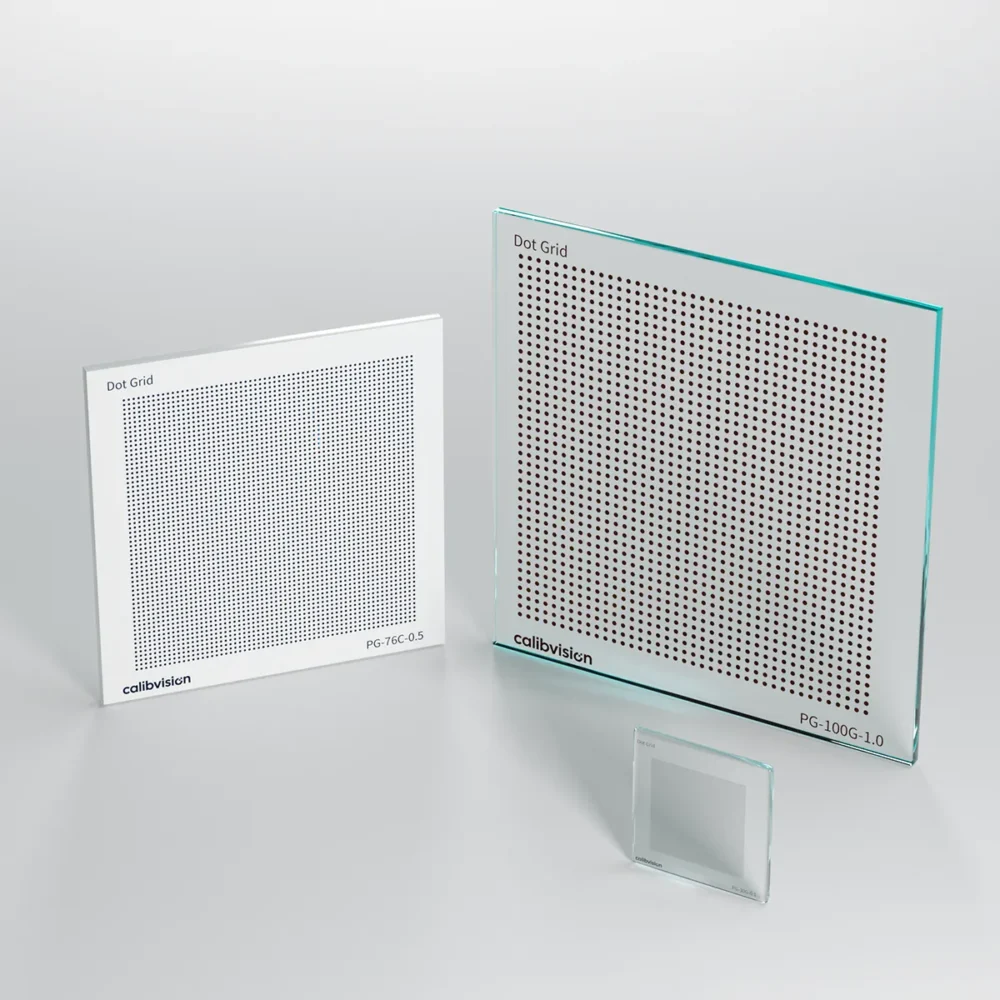
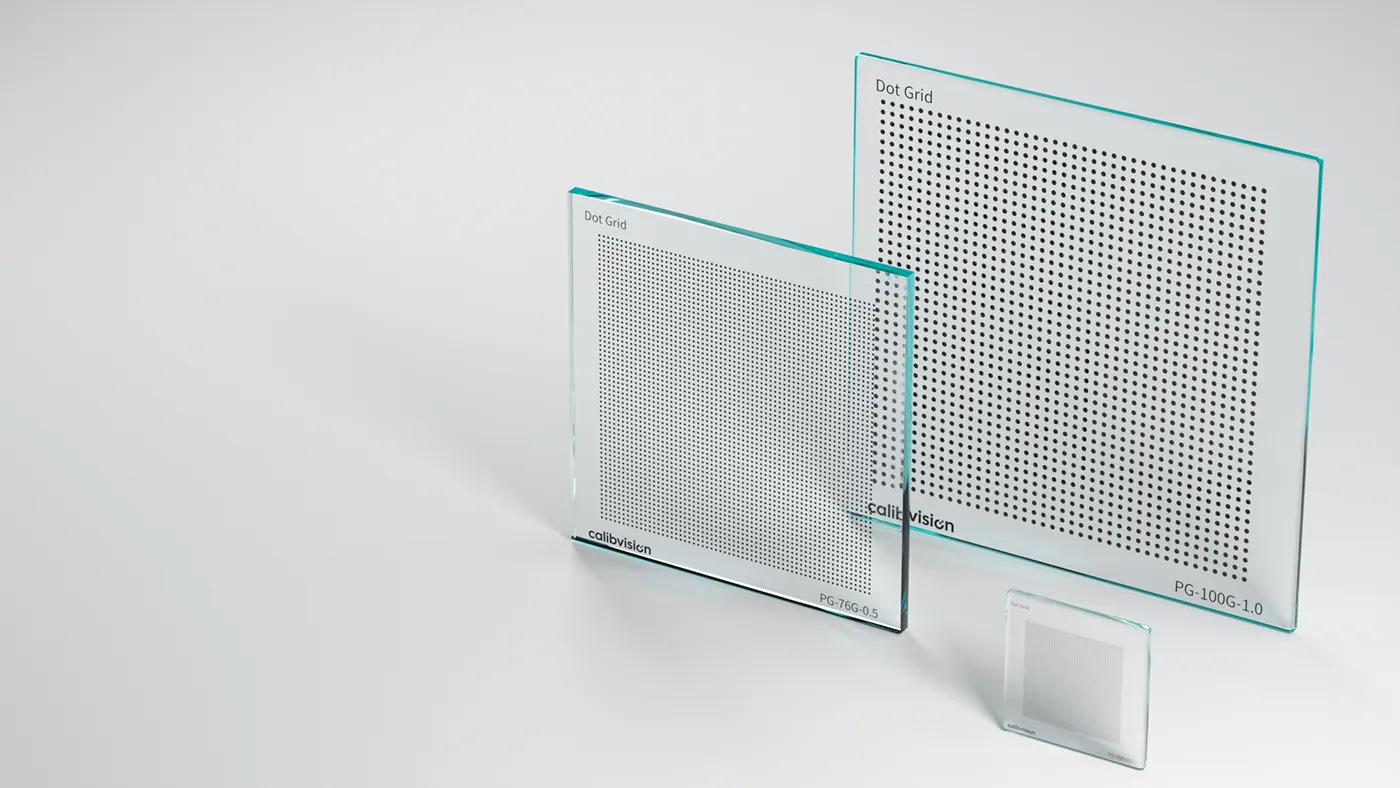
A dot grid calibration target (also known as a circle grid target) is a calibration board featuring an array of evenly spaced circles (dots) on a contrasting background. Calibration software detects the center of each circle to establish reference points for camera parameter estimation.
Dot grids have gained a lot of popularity in recent years, especially in industrial automation and 3D vision applications.
How It Works
Instead of detecting corners, the algorithm identifies each circle’s centroid (center point) using blob detection or ellipse fitting. Because the centroid of a circle is robust against perspective distortion, dot grids tend to deliver more stable results when the camera views the target at an angle.
Common configurations include symmetric dot grids (regular matrix layout) and asymmetric dot grids (offset rows), with the asymmetric version being preferred because it eliminates orientation ambiguity.
Key Advantages of Dot Grid Targets
Faster detection — Blob detection is computationally lighter than corner extraction.
More robust at angles — Circle centroids are less affected by perspective distortion than square corners.
No orientation ambiguity (asymmetric) — Asymmetric patterns are inherently unique in orientation, reducing calibration errors.
Better for partial visibility — Many algorithms can still work even if some dots are occluded.
Preferred for stereo and multi-camera setups — The unambiguous pose estimation makes multi-camera calibration more reliable.
Limitations to Watch Out For
Slightly lower sub-pixel accuracy in some cases — Corner-based methods can edge out centroid methods at very close range with high-resolution cameras.
Less common in legacy software — Older calibration tools may not support circle grid detection.
Print quality matters more — Dot roundness and edge sharpness directly affect centroid accuracy.
Dot Grid vs. Checkerboard: Side-by-Side Comparison
Here’s a quick reference to help you compare:
Detection method: Checkerboard uses corner points. Dot grid uses circle centroids.
Sub-pixel accuracy: Checkerboard is slightly higher. Dot grid is very good.
Detection speed: Checkerboard is moderate. Dot grid is fast.
Robustness at angles: Checkerboard is moderate. Dot grid is high.
Partial occlusion tolerance: Checkerboard is low. Dot grid is high.
Orientation ambiguity: Checkerboard has it (symmetric). Dot grid does not (asymmetric).
Software compatibility: Checkerboard is excellent and universal. Dot grid is very good with modern libraries.
Best for: Checkerboard suits single camera and 2D inspection. Dot grid suits stereo vision, 3D systems, and robotics.
Which Calibration Target Should You Choose?
Here’s the honest answer: it depends on your application. There’s no universally “better” pattern — just the one that fits your setup.
Choose a Checkerboard If:
You’re doing basic single-camera calibration for 2D inspection. Your calibration software only supports checkerboard patterns. You need the highest possible sub-pixel accuracy at close range. You’re prototyping or doing one-off calibrations where speed doesn’t matter. Budget is extremely tight and you want to print your own target.
Choose a Dot Grid If:
You’re calibrating a stereo vision or multi-camera system. Your camera views the target at varying angles during calibration. You need fast, automated calibration in a production environment. Partial occlusion is possible (e.g., targets in the field of view of a robot arm). You want to eliminate orientation ambiguity without adding asymmetric features manually.
For Most Industrial Applications, Dot Grids Are Becoming the Standard
If you’re building a new system from scratch and your software supports both, an asymmetric dot grid is generally the safer choice for industrial machine vision. It’s faster, more robust, and reduces common calibration pitfalls — especially in multi-camera and robotic guidance setups.
That said, checkerboards are still a perfectly valid choice for simpler systems. Many production lines worldwide run on checkerboard-calibrated cameras without any issues.
What About Calibration Target Quality and Material?
This is where a lot of engineers get tripped up.
The pattern you choose matters — but the physical quality of the target matters just as much.
A poorly printed target can ruin your calibration regardless of whether it’s a dot grid or checkerboard. Here’s what to look for:
Flatness — The target surface must be flat. Warping or bowing introduces errors that no software can correct. Look for targets made on aluminum, glass, or ceramic-coated substrates.
Dimensional accuracy — Feature spacing should be accurate to plus or minus 0.01mm or better for precision applications.
Contrast — High contrast between features and background improves detection reliability. Matte finishes reduce glare.
Durability — If the target will be used on a production floor, it needs to withstand handling, cleaning, and environmental changes.
Traceability — For regulated industries, look for NIST-traceable or ISO 17025-certified targets.
A cheap inkjet-printed checkerboard on paper might work for a university project. For production-grade machine vision, invest in a proper calibration target from a reputable supplier.
How to Choose a Calibration Target Supplier
Finding the right supplier isn’t just about price — it’s about getting a target that actually performs to spec. Here’s what to evaluate:
Manufacturing Precision
Ask about their feature placement accuracy and surface flatness tolerance. Reputable suppliers will provide a certificate of conformance or measurement report with each target.
Material Options
The best suppliers offer multiple substrate options. Aluminum with ceramic coating is durable, flat, matte, and the industry standard. Glass offers maximum flatness and is ideal for lab environments. Anodized aluminum provides a good balance of cost and durability. Film or paper on rigid backing is a budget option for non-critical applications.
Customization
Your application might need a non-standard size, pattern spacing, or feature count. A good supplier will offer customization without excessive lead times.
Software Compatibility
Some suppliers provide targets specifically designed for popular calibration toolkits such as OpenCV, Halcon, and MATLAB. This saves you time in setup.
Industry Reputation and Support
Look for suppliers that are known in the machine vision community. Check if they provide technical documentation, usage guides, and responsive support.
Top Calibration Target Suppliers (2025)
Here are some well-known suppliers in the machine vision calibration space:
Calib.io specializes in high-precision targets for OpenCV and Halcon. They offer custom options. Price range is moderate to high.
Edmund Optics offers optical test targets with a wide catalog. Custom options are limited. Price range is moderate to high.
Image Engineering provides camera test and calibration equipment with custom options. Price range is high.
Thorlabs offers optical targets at lab-grade quality. Custom options are limited. Price range is moderate.
LaVision specializes in 3D calibration plates for PIV and DIC. They offer custom options. Price range is very high.
Chinese OEM Suppliers offer cost-effective custom targets with highly flexible customization. Price range is low.
Pro Tip: If you’re sourcing in volume or need custom specifications at competitive pricing, working with a specialized manufacturer in China can cut costs by 40 to 70 percent compared to Western brands — without sacrificing quality, as long as you verify flatness and accuracy specs.
Frequently Asked Questions
What is the best calibration target for OpenCV?
Both checkerboard and asymmetric circle grid (dot grid) patterns are natively supported by OpenCV. For most users, the asymmetric circle grid offers faster, more robust detection. If you’re just getting started or following a tutorial, checkerboard is also a solid choice.
Can I print my own calibration target?
Yes — for prototyping or low-accuracy applications. Use a laser printer (not inkjet), print on rigid, flat material, and verify the feature spacing with a caliper. For production use, always buy a professionally manufactured target with certified accuracy.
How big should my calibration target be?
As a rule of thumb, the target should fill at least 50 to 80 percent of the camera’s field of view during calibration. Larger targets generally produce better calibration results. Calculate the required size based on your working distance and lens FOV.
How many calibration images do I need?
Most algorithms require a minimum of 10 to 20 images taken from different angles and positions. More images with good coverage of the FOV generally improve accuracy.
What’s the difference between symmetric and asymmetric dot grids?
A symmetric dot grid has dots arranged in a regular matrix with rows and columns aligned. An asymmetric dot grid offsets alternating rows by half the spacing. The asymmetric version is preferred because it has a unique orientation, preventing ambiguity in pose estimation.
Final Thoughts
Choosing between a dot grid and a checkerboard isn’t a decision that should keep you up at night — but it’s also not one to make carelessly.
For modern industrial machine vision systems, asymmetric dot grids offer the best balance of speed, robustness, and reliability. Checkerboards remain a dependable, widely-supported option — especially for simpler setups or when working with legacy software.
Whatever pattern you choose, invest in a quality target from a reliable supplier. The calibration target is the foundation of your entire vision system’s accuracy. A $50 shortcut on the target can lead to $5,000 worth of problems downstream.
Need help sourcing a custom calibration target for your machine vision project? Contact us — we’ll help you find the right specification and connect you with verified manufacturers.